HelpFor authors Adding reviews from other sites
For authors · guide 4 of 5Adding reviews from other sites
Reviews real readers have already posted elsewhere can live on your Hive page too, each under the logo of the store it came from. If the store ever removes one, your copy stays.
Open Reviews on your page
On your dashboard, scroll to Reviews on your page. It lists every review on your page: ones you added, ones the Hive team added, and ones readers wrote on the Hive. A reader's review marked Waiting for approval is being checked by the Hive team and is not public yet.
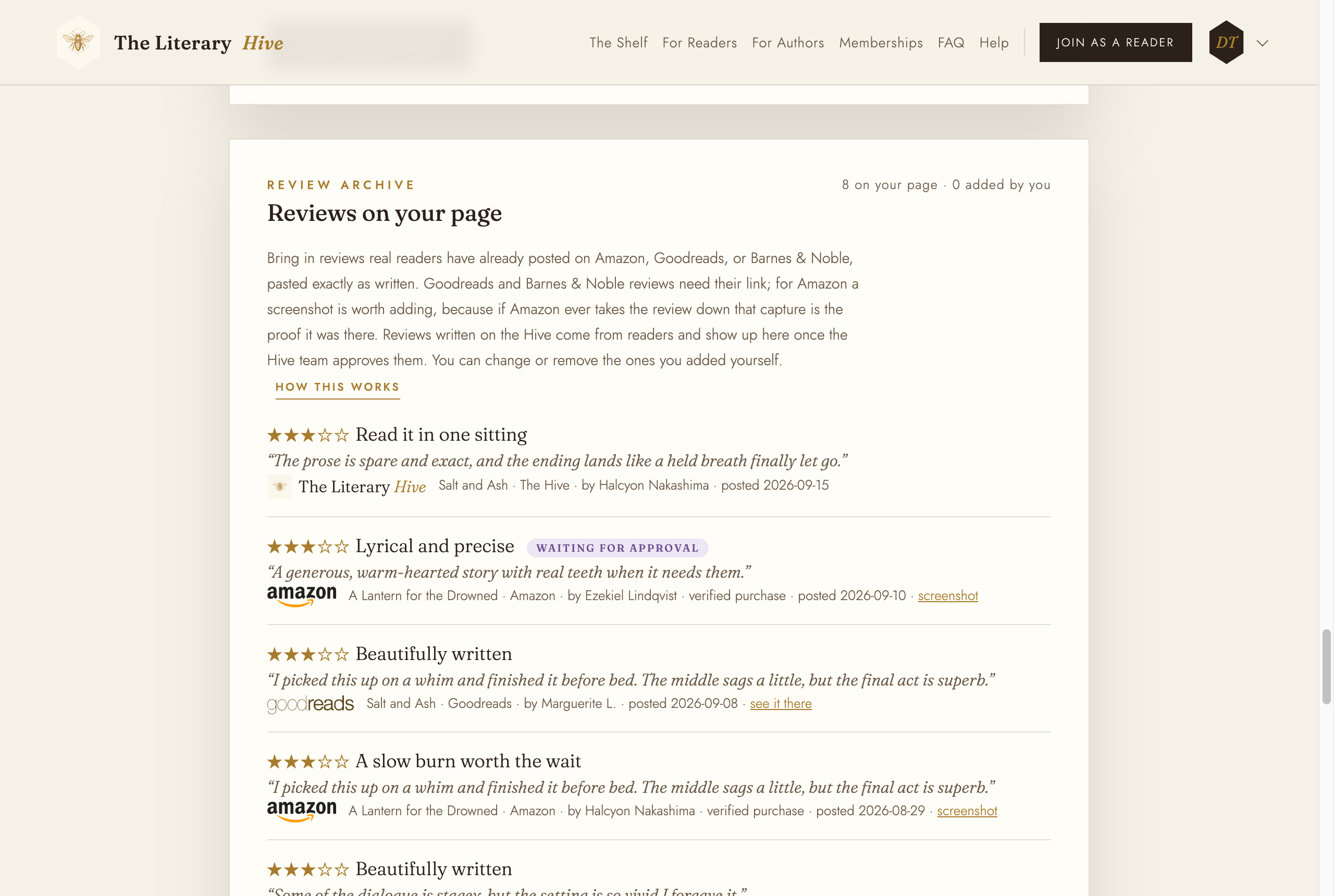
Every review on your page and where it came from Copy the review in, exactly as written
Under Add a review from elsewhere, choose the book and the source: Amazon, Goodreads, or Barnes & Noble. Then copy the review over as the reader wrote it: their name, the stars, the review title, and the review text. Add the date posted if you can see it.
A Goodreads or Barnes & Noble review needs its link. For Amazon the link is optional, and a screenshot of the review is worth adding: if Amazon takes the review down, that capture is the proof it was there.
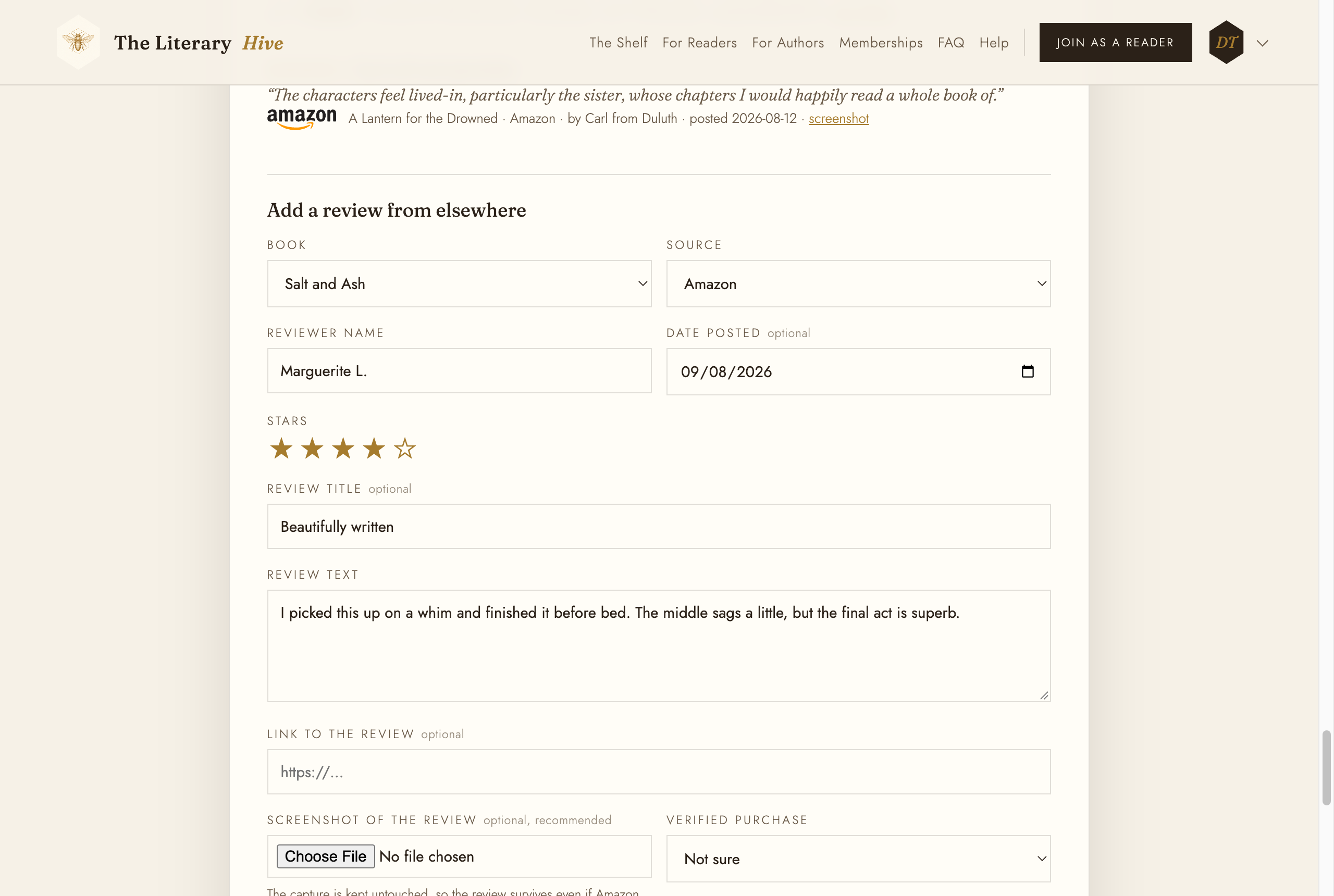
The reader's words, not yours Copy reviews word for word, and add the ones you would rather not as well as the ones you love. A page with only five star reviews is a page readers do not believe.
Verified purchase
Verified purchase records what the review itself shows. Choose Badge shown on the review only when the store's badge is there, No badge when it clearly is not, and leave Not sure otherwise. Click Add review.
What you can change afterwards
Reviews you added have Edit and Remove. Reviews a reader wrote on the Hive, and reviews the Hive team added, have neither: an author cannot change or take down someone else's review, kind or unkind. If one is wrong (the wrong book, a duplicate), ask the Hive team.