HelpFor authors When a reader tags you in an article
For authors · guide 5 of 5When a reader tags you in an article
Some Hive readers write for magazines and sites. When one of them writes about you, they can add the article to the Hive and tag you, and with your say it joins the press on your page with their name on it.
The card on your dashboard
A tag shows as a card at the top of Press links: A reader tagged you in a press article, with the title, the outlet, the date, and who wrote it. Read it opens the article. Nothing is on your public page yet.
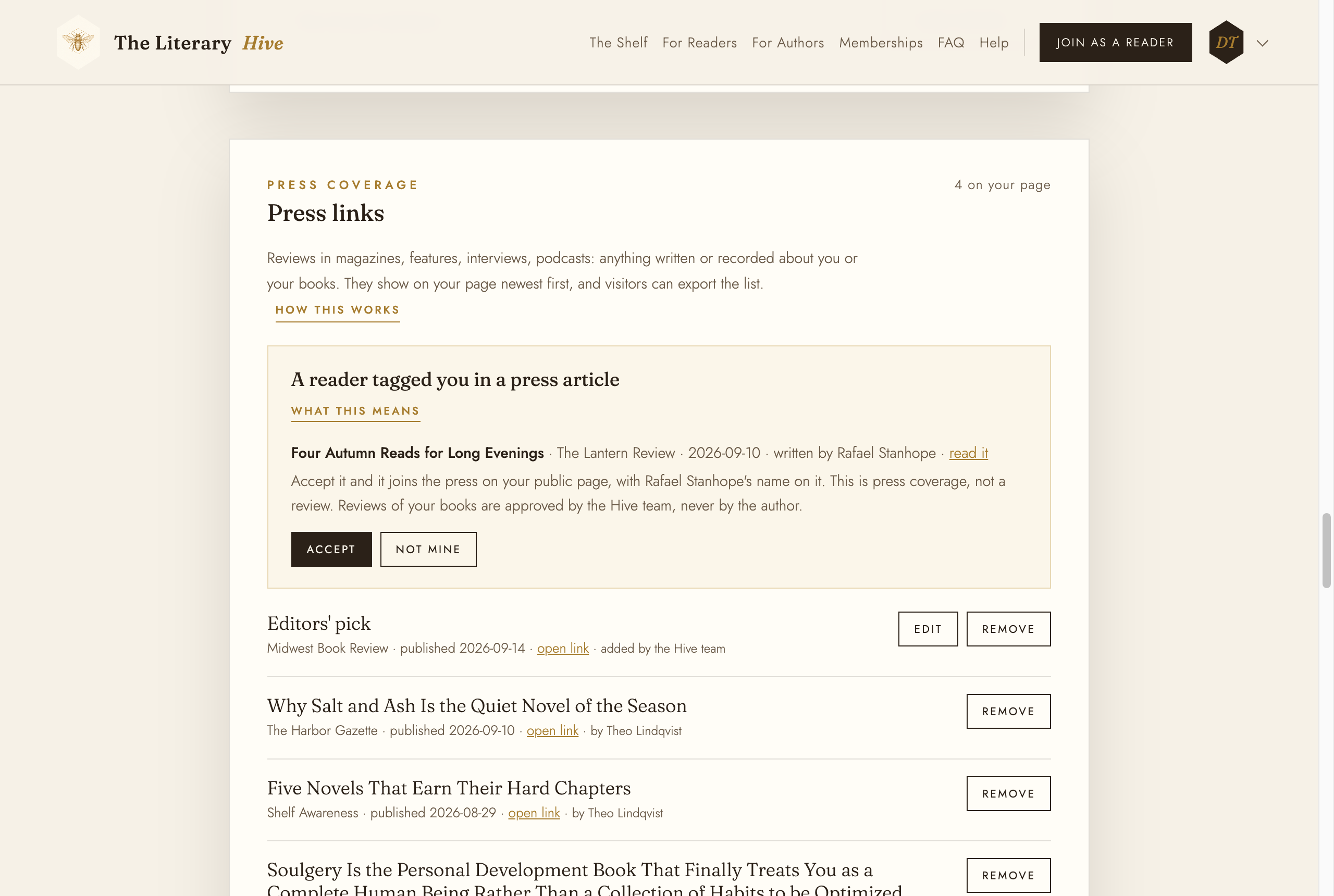
The tag waits here until you decide Accept, or Not mine
Accept puts the article in your press list now, with the writer's name linking to their reader page. Not mine is for a piece that is not about you, or one you would rather not show; it stays on the writer's own page and nowhere else. Either way the card goes.
This is press coverage, not a review. Reviews of your books are approved by the Hive team, never by the author, so there is no Accept button for those.
If you never see the card
Articles written by the Hive's own writers go straight onto your page, so there is no card for those. For everyone else, if a tag sits unanswered the Hive team may accept it for you. You can still take it off later with Remove in your press list.